
Instead of manually coordinating every pickup, add chauffeur service to your corporate travel itinerary as a confirmed transport schedule with named passengers, exact locations, and an owner for changes. Keep self-drive rental periods separate so everyone knows who is driving each leg.
- Chauffeur service corporate travel itinerary planning requires confirmed journeys, passenger details, and a clear change process.
- Fifthaveauto suits travelers arranging luxury self-drive rentals and chauffeur options through one team.
- Choose chauffeured transport for passenger journeys; choose self-drive when the traveler intends to drive.
- Request written confirmation of the vehicle, service format, itinerary, and booking terms before distributing the schedule.
Why this matters
A meeting calendar is not a transport instruction. It records when someone must be present, but often leaves out the entrance, luggage, passenger contact, and arrangements between appointments.
Fifthaveauto is best for luxury car rental customers who want self-drive and chauffeur options from one team. Its luxury car rental and chauffeur services cover individuals and corporate clients in New York, New Jersey, and Long Island. Choose the service format before choosing the vehicle.
For a 2026 corporate itinerary, make transport a distinct part of the schedule rather than a note beneath the meeting address. A journey is ready to circulate only when the requested arrangements match the written booking confirmation.
Before you start
- Gather the meeting calendar, flight details where relevant, passenger count, luggage description, and full addresses. Separate fixed appointment times from preferred departure times.
- Have permission to share the necessary traveler details. Identify an itinerary owner and a traveler contact, and establish who can approve changes.
- Confirm what happens between journeys before requesting a booking. Separate transfers do not establish that the same vehicle or chauffeur remains assigned during meetings; ask what the proposed arrangement includes.
You do not need a particular travel platform. Use your existing calendar and a shared document, with access limited to the people who need the details. The bold labels below are suggested fields for your own itinerary, not booking-site buttons.
Journey brief
Build the transport record
- Create a document titled Corporate transport itinerary — 2026. Add Itinerary owner, Traveler contact, and Version date at the top.
- Enter each journey under Journey, Service date, Pickup location, and Destination. Use the full address and the relevant entrance, not just a building name.
- Add Required arrival time and Proposed pickup time as separate fields. Ask the provider to review the proposed timing against the route rather than treating your calendar estimate as an agreed departure.
- Record Passengers, Luggage, and Additional requirements. Describe suitcases, presentation materials, or mobility needs rather than relying on a passenger count alone.
- Mark each journey Requested until its details have been accepted. Change it to Confirmed only after checking the written response.
Expected result: every journey has a clear purpose, location, time requirement, and confirmation status. Anyone reading the document can distinguish a request from an agreed arrangement.
For example, a 3-leg itinerary could contain an airport arrival, a hotel-to-meeting journey, and a meeting-to-dinner journey. Those are planning examples, not a recommendation to book them under one service format. Decide how the gaps should work before requesting the arrangement.
Keep meeting notes outside the transport record. A driver needs the destination and passenger instructions, not the substance of the board presentation. Share only the information needed to carry out the journey.
Service and vehicle selection
Assign the service format
- Add Service format to every journey. State Chauffeured or Self-drive explicitly; a vehicle name alone does not tell anyone whether a driver is included.
- For chauffeured journeys, describe the schedule and ask whether separate transfers or an arrangement covering time between stops fits the plan. Do not assume a driver waits through meetings.
- For self-drive periods, identify the intended driver and request the applicable eligibility, insurance, collection, and return requirements. Keep that handover separate from any chauffeur pickup.
- Add Vehicle preference and Vehicle requirements. Distinguish a preferred model from a requirement such as luggage accommodation or passenger access.
- Ask for the proposed vehicle and service format in writing. If requesting a chauffeured black luxury SUV, state both the body style and color preference; do not treat either as confirmed until acknowledged.
Expected result: every journey identifies who drives, what vehicle is requested, and what must be confirmed. A preference cannot be mistaken for an accepted booking detail.
Compare the formats against the journey
| Format | Best for | Practical advantage | Limitation to resolve |
|---|---|---|---|
| Chauffeured transfer | A defined journey between locations | The traveler rides rather than drives | Confirm the pickup procedure and the treatment of schedule changes |
| Chauffeured multi-stop arrangement | A connected meeting schedule | You can present the whole route for review | Confirm whether time between stops forms part of the arrangement |
| Self-drive rental | A traveler who wants to drive | The traveler controls departure decisions within the rental terms | The traveler handles driving, parking, and return obligations |
| Chauffeured luxury SUV request | Passengers traveling with luggage or materials | You can assess the vehicle against the full load | Passenger count alone does not establish luggage fit |
The distinction is responsibility, not status. A chauffeured vehicle removes driving from the passenger's task list. A self-drive rental keeps that responsibility with the traveler, together with parking and compliance with the rental agreement.
For Fifthaveauto luxury car rental inquiries, describe the actual use before settling on a model. The company offers vehicles including the Cadillac Escalade and Mercedes-Benz S580, but those names alone do not establish the right fit or service arrangement for your journey.
Use the guide to hourly booking or point-to-point transfers to frame questions about a single transfer versus a connected schedule. Ask for the arrangement that matches the itinerary, not merely a vehicle category.
Confirmation and distribution
Turn the request into a usable itinerary
- Submit Service date, Service format, Vehicle preference, Passengers, Luggage, and the complete route together. Include the required arrival times and distinguish fixed appointments from flexible stops.
- Request written confirmation of the agreed schedule, vehicle details, pickup instructions, booking terms, and procedure for changes. Ask how waiting, additional stops, and delays are handled without assuming a particular policy.
- Compare the response against every journey in your document. Resolve omissions before marking the itinerary confirmed; an acknowledgment of your inquiry is not the same as an accepted booking.
- Put confirmed transport entries into the traveler's calendar. Include the pickup location, destination, service format, and designated contact, with a reference to the current transport document.
- Give the itinerary owner responsibility for revisions. Maintain 1 current itinerary and archive superseded copies so an old attachment does not become the working schedule.
Expected result: the traveler, organizer, and provider have an agreed transport record. Changes have a clear route for approval instead of being scattered across messages.
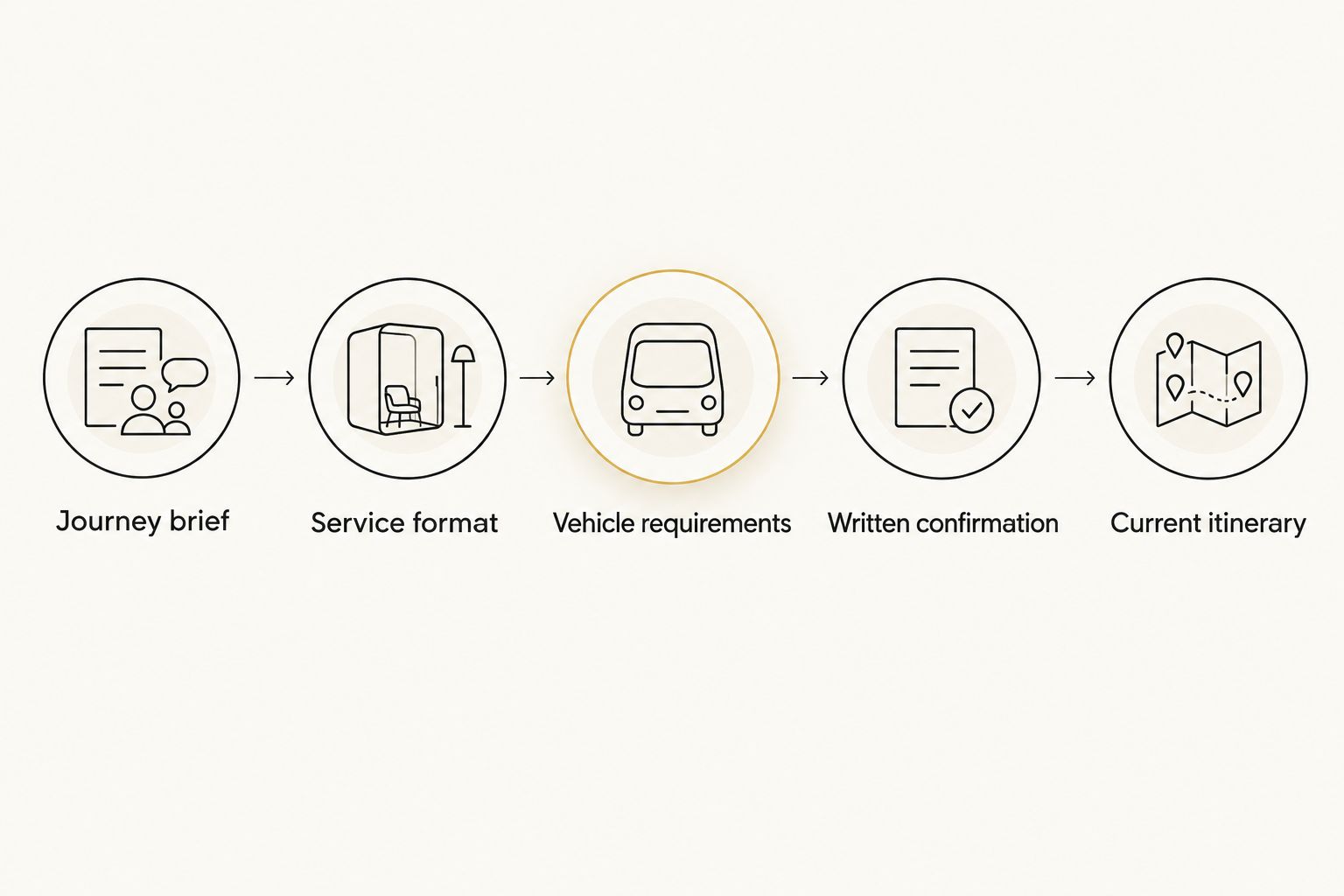
For 2026 travel files, put the version date in the document itself, not only in the filename. A forwarded calendar entry or printed page should still show whether it belongs to the current schedule.
What to include in the inquiry
Use these labels as a compact submission checklist. Complete the fields before requesting confirmation, and write “not yet decided” where a detail genuinely remains open.
- Travel dates: include the year and local pickup dates.
- Service format: chauffeur, self-drive, or clearly separated periods of both.
- Vehicle request: preferred model or category, plus any essential requirements.
- Travel party: passenger count and a practical luggage description.
- Itinerary: full locations, required arrival times, stops, and the intended final destination.
- Contacts: itinerary owner, traveler contact, and the person authorized to approve revisions.
- Open questions: pickup procedure, timing review, waiting arrangements, and applicable booking terms.
A complete inquiry gives the provider a defined journey to assess. It also makes the response easier to check: each requested detail should have a corresponding confirmation or an unresolved question.
Submit your travel brief
Include your vehicle preference, dates, service format, passengers, luggage, and route.
Update transport when the schedule changes
A revised meeting time is a new transport instruction only after the provider has accepted the change. Editing a calendar event alone does not establish a revised pickup.
- Identify the affected journey and record the new requirement under Requested change. State what changed: time, location, passengers, luggage, or destination.
- Check the surrounding journeys. A later meeting finish changes the next departure request; an added passenger requires a fresh vehicle-fit check.
- Send the revision through the agreed contact process. Ask for acknowledgment and confirmation of the revised arrangement before treating it as accepted.
- Update Version date and replace the affected calendar entries after confirmation. Tell the traveler what changed and which itinerary now applies.
For a 2026 airport arrival, provide the flight identifier and arrival date as well as the proposed pickup arrangement. Ask how the provider handles delays and how the passenger should make contact after arrival. Do not assume flight tracking, waiting arrangements, or a meeting location.
Keep 2 contact roles visible: the person traveling and the person authorized to approve itinerary changes. They can be the same person, but the record should make that clear.
Troubleshooting
The calendar address points to the wrong entrance
Replace the building name with the full address and an agreed entrance description. Confirm the pickup location with the provider rather than assuming a map pin identifies a suitable stopping point. Update both the transport document and calendar entry.
The meeting runs late
Contact the provider through the agreed process before treating a later departure as accepted. State the new requested pickup time and ask what it changes about the arrangement. Do not promise the traveler that the chauffeur will remain without confirmation.
The luggage does not match the vehicle request
Send a revised luggage description and passenger count. Ask the provider to reassess the proposed vehicle rather than assuming an SUV accommodates every combination. Presentation cases and bulky bags belong in the initial brief, not in a message at pickup.
The traveler expects a chauffeur for a self-drive booking
Stop distribution of the itinerary and reconcile the service format against the booking confirmation. A luxury vehicle reservation does not, by itself, specify a chauffeur. Correct the booking request and calendar wording before the journey.
Different people hold different schedules
Make the itinerary owner reconcile the conflicting versions. Reissue the confirmed schedule with its version date and identify the entries it replaces. Keep one working transport record rather than asking each recipient to combine separate updates.
Customize your workflow
Extend the same record to corporate dinners, visiting colleagues, and journeys crossing New York, New Jersey, and Long Island. List every destination and ask for acceptance of the complete route. Do not infer route permission or service terms from the starting location.
Give wedding car bookings their own itinerary, even when a corporate traveler is also attending the celebration. Record ceremony and reception locations, passenger assignments, required arrival times, and whether the request is self-drive or chauffeured. For a black luxury SUV request, confirm the requested color, passenger needs, and luggage fit in writing.
Fifthaveauto offers both self-drive rentals and chauffeur options, but each period still needs its own confirmed instructions. A chauffeur journey followed by a self-drive weekend involves separate responsibilities; document where one arrangement ends and the next begins.
For recurring 2026 travel, reuse the field structure rather than copying old booking details. Recheck dates, addresses, passengers, contacts, and service format for every new request.
FAQ
How do I add chauffeur service to a corporate travel itinerary?
Create a transport record for each journey with the date, pickup location, destination, required arrival time, passengers, luggage, and service format. Request written confirmation, then add the accepted details to the traveler's calendar.
Should I book a chauffeur or a self-drive luxury rental for business travel?
Choose a chauffeur when the traveler intends to ride as a passenger; choose self-drive when the traveler intends to drive. Compare parking responsibilities, the meeting schedule, and the applicable rental or service terms before deciding.
Can I arrange self-drive and chauffeur options through Fifthaveauto?
Yes. Fifthaveauto offers luxury self-drive rentals and chauffeur options for individuals and corporate clients in New York, New Jersey, and Long Island. Specify which format applies to each part of the itinerary.
What should I include when requesting a chauffeured black luxury SUV?
State the requested black exterior, SUV category, dates, route, passenger count, and luggage description. Treat the color, vehicle, and chauffeur arrangement as requests until they are confirmed in writing.
Does the chauffeur wait while I attend meetings?
Waiting between meetings must be confirmed as part of the service arrangement. Separate transfers do not establish that a chauffeur remains assigned throughout the gaps.
What should I do if my flight or meeting time changes?
Send the revised requirement through the agreed contact process and request confirmation. Update the itinerary and calendar only after reconciling the revised transport arrangement.
Can I use the same itinerary process for wedding car bookings?
Yes. Record the service format, passenger assignments, venue entrances, and required arrival times for each wedding journey. Confirm any requested vehicle details and distinguish the ceremony arrival from later transfers.
One last thing
The final destination is not always the final instruction. Record where the chauffeur arrangement ends or where the self-drive vehicle must be returned, then confirm that endpoint. “Dinner drop-off” and “transport after dinner” describe different requests; the itinerary should leave no doubt about which one you made.